

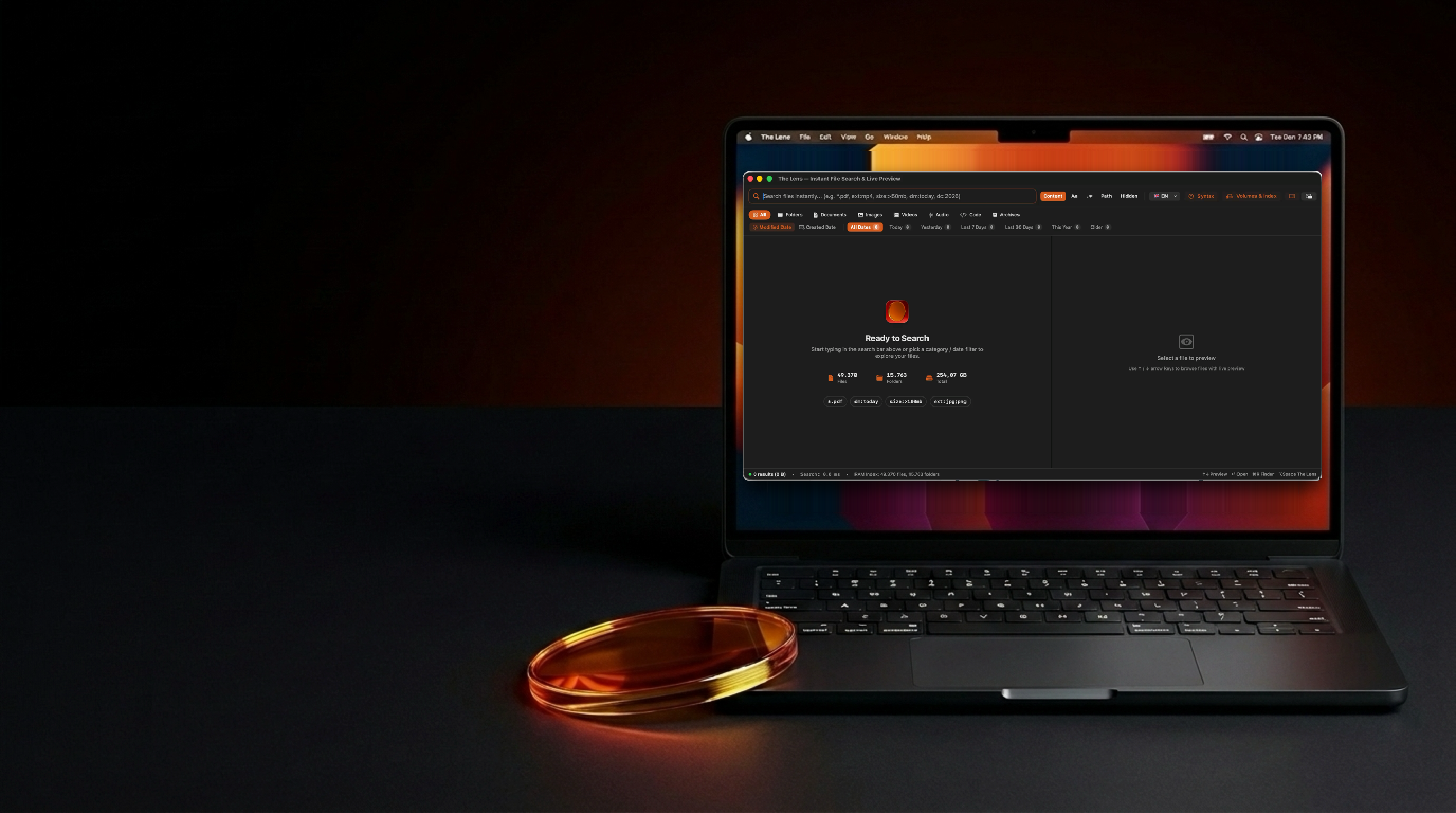
Scroll to look through the lens ↓
Why launch Photoshop, Illustrator, or Excel just to check which file is the right one?
Zero app launches. Just tap ↑ ↓ and see inside at 120Hz.
The sub-millisecond speed of Everything, crafted natively for Mac—supercharged with a Universal Live Preview.
Search millions of filenames and deep inside documents while inspecting .pdf, Word, Excel, Photoshop .psd, Illustrator .ai, and high-res images side-by-side.
Real capture on macOS. Type a single keyword, fly through matching PDFs, vector artwork, spreadsheets, and folders in milliseconds, and inspect multi-page documents live—without opening a single external app.
Stop waiting for Photoshop, Illustrator, Word, or Excel to load just to peek inside a file. Hold your fingers on ↑ ↓ to glide at 120Hz through multi-page PDFs, layered .psd & .ai creative files, .docx documents, .xlsx spreadsheets, RAW & HEIC photos, 4K video, source code, and folder trees—docked side-by-side or popped out on a second display with ⌘ P.
Whether it’s an ingredient on a print label, a clause buried on page 14 of a PDF, vector text inside an Adobe Illustrator .ai file, an Excel cell, or a Word contract—The Lens finds the file and pins the exact matching snippet right above your live preview.
Flip between Creation Date (dc:) and Modification Date (dm:) in a single click with live counts for Today, Yesterday, Last 7 Days, and This Year. And on first launch, you choose your language and exactly which external USB drives get indexed.
Use core instant filename search free for as long as you want—and test every PRO superpower with a 1-click 7-day trial built right into the app (no credit card, no sign-up).
Sub-millisecond filename search across your Mac—faster and lighter than Spotlight or Finder.
⌥ + Space hotkey to summon search anywhere in 0 ms
*.pdf), multi-ext (ext:jpg;png), file size (size:>100mb), NOT & OR
⌘R), Copy Path, Filter Here & Trash
Everything in Free, plus Universal Live Preview, deep text search inside files, external drives & power tools.
⌘P) — Instant 120Hz preview for multi-page .pdf, Photoshop .psd, Illustrator .ai, Word .docx, Excel .xlsx, RAW/HEIC images, 4K video, code & folder trees
.ai vector text layers, Word, Excel & code with exact page & line snippets
dc: / dm:) — 1-click live buckets for Today, Yesterday, Last 7 Days, Last 30 Days & This Year
.*) & Batch Multi-Select — Instant regular expression queries plus Shift / ⌘ multi-file selection & batch copy
Bypasses high-level NSFileManager overhead by issuing bulk BSD getattrlistbulk(2) calls across an 8-worker concurrent queue—fetching filename, object type, byte size, ATTR_CMN_CRTIME, and ATTR_CMN_MODTIME in a single 64KB kernel buffer per directory.
Combines native QuickLookUI, PDFKit, and an asynchronous text/code extractor so .pdf, .psd, .ai, .docx, .xlsx, RAW images, video, and source code render zero-latency previews while parent paths stay interned in RAM (EVM2).
*.pdf wildcards
ext:psd;ai;docx;xlsx multi-ext
size:>100mb / size:huge
dm:today / dc:2026
content:word deep text
!cache NOT • a|b OR
regex:^IMG_[0-9]+